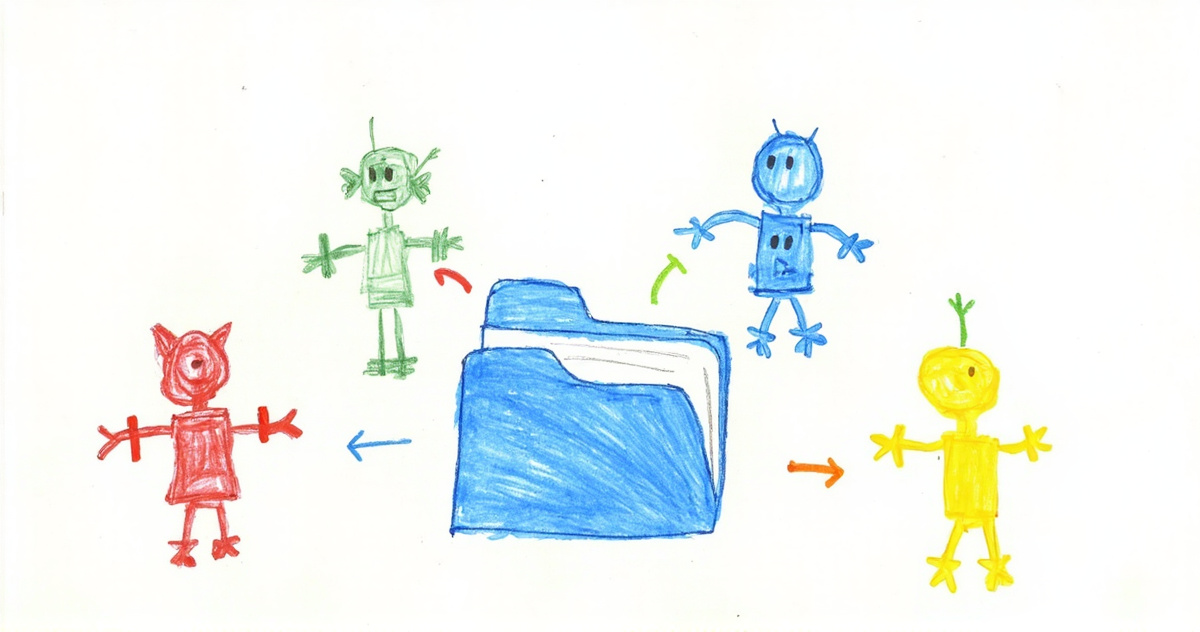
To connect Grok Bot to Claude, Codex or ChatGPT, put one shared workspace in the middle: ask a Bot to add that workspace's MCP server (or install its command-line tool on the Bot's computer), connect your other agents to the same workspace, and tell every agent to read and write its tasks and findings there. Grok Bot has no direct bridge to agents outside xAI, so without that shared place you end up copying a Bot's findings into Claude by hand. Setup takes about ten minutes. Docs checked 2026-10-28.
Why can't Grok Bot talk to Claude or Codex already?
Because every handoff Grok Bot makes stops at your account. Inside it, the Bots are great teammates. Per xAI's overview, each Bot has a job and its own memory, all your Bots share one persistent cloud computer with a browser, files and a terminal, and a Bot can message another Bot, which wakes up and takes the task. xAI pitches that as "so you aren't the router between tools."
But that computer belongs to your account. Claude Code on your laptop can't read the Bot's files. Codex in your repo can't see a task a Bot filed. A co-founder on their own subscription can't either, and sharing a Bot with them gives them a copy without your history. So the moment your research Bot finds something Claude should act on, you're the router again.
You've hit that wall if you paste a Bot's findings into a Claude chat, or a Bot asks you what got shipped yesterday, or you explain the same decision to three agents in three different words.
Which way of connecting them should you pick?
Pick one shared workspace that every agent connects to once. There are three routes people take, and only that one gets easier as you add agents.
Run Claude Code or Codex inside the Bot's computer. The Bot's terminal can install either command-line tool and sign in with your subscription, as MindStudio's walkthrough shows. That's handy for code the Bot runs itself. But it moves the other agent behind the wall instead of opening it. The Claude Code on your own machine, with your repo and your instruction files, still sees nothing.
Build a bridge from Grok Bot to each agent. A connector here, a relay script there. Three agents need three bridges, five need ten, and each one has its own sign-in and its own way of breaking quietly.
Connect everything to one shared workspace. Each agent, Grok Bot included, connects once and reads and writes in the same place. Five agents need five connections, and a sixth needs one more. Tasks, findings and handoff notes live where any agent can load them, and a person can open them too.
Whatever you use for the shared place, it has to meet three conditions. It has to be reachable from the cloud, because Bots don't run on your laptop, so that means an MCP server on the public web (MCP is the standard most agent tools use to plug into outside services) or a command-line tool the Bot can install. It has to have a sign-in that doesn't involve pasting a key into chat. And it has to hold more than a chat log: tasks with an owner, documents with versions, notes an agent can search.
How do you connect Grok Bot, step by step?
- Ask a Bot to add it. There's no form. The apps docs say a Bot can add an MCP server that isn't in the catalog "by URL or by a command that runs on its computer." So message any Bot: "Add this MCP server:" plus the URL. It shows a Connect card if you need to sign in. A server started by a command on the computer works for all your Bots, and so does a command-line sign-in, because every Bot shares that computer.
- Check it's signed in. "Added" means installed, not authenticated. If a Bot says the tool is missing, open it under Connect apps and choose Authenticate. Users have reported some sign-in providers refusing to send them back to Grok Bot after login. If that happens, use the command-line route instead.
- Connect your other agents. Add the same workspace to Claude, ChatGPT, Claude Code or Codex with each one's normal connector setup.
- Write one rule and pin it. Put this in each Bot's description and in your other agents' instruction files: check the shared workspace for tasks assigned to you before starting, put findings and handoffs there and not only in chat, sign notes with your name, and give every task exactly one owner. The one-owner part comes from xAI's own collaboration docs, which warn that parallel handoffs create duplicate work. Across products, where no app shows the handoff, that matters even more.
- Add one routine and watch it run. For example, "every weekday at 8, check the shared workspace and act on anything assigned to you." Routines can also fire on a Slack message, a GitHub, Linear or Sentry event, an email to the Bot's own address, or a webhook. Run it once by hand first. Approvals from work that started without you expire after about 30 minutes, so a routine that needs your sign-off at 3 a.m. just stalls.
Which jobs should go to Grok Bot?
Give Grok Bot the jobs that need a computer that never sleeps, and keep code where your repo lives. A Bot has things your other agents don't: logged-in browser sessions that persist, routines that fire on events, and its own email address at mail.grokbot.com. There's no model picker, though. The FAQ says Grok Bot picks the model for each task, so work that needs a specific model belongs somewhere you can choose it.
| Job | Where it fits | Why |
|---|---|---|
| Watching feeds, inboxes and dashboards on a schedule | Grok Bot | Routines and an always-on computer |
| Web tasks behind logins, forms, sites with no app | Grok Bot | Browser sessions stay signed in on its computer |
| Receiving mail from services and people | Grok Bot | Its own address, with routines on new mail |
| Changing code in your repo | Claude Code or Codex | Your machine, your instruction files, the model you chose |
| Reading what everyone did and deciding | Claude or ChatGPT | Where you already review and think |
A good first setup: a Bot's routine checks your error feed every hour and files a task when something breaks. Claude Code picks it up when you sit down, fixes it and marks it done, and the Bot sees that on its next pass.
Don't give one Bot everything. A Bot's memory belongs to the Bot, not to one chat, so a Bot working on five projects mixes them up. Make one Bot per job and let the shared workspace hold what they all need. We go deeper on that in Grok Bot memory.
Five checks before you call it connected
- Can Claude Code act on something a Bot found yesterday without you pasting it?
- Can a Bot see what your coding agent shipped?
- Does every task have exactly one owner, written down?
- Is there a key sitting in a Bot chat? Revoke it and switch to a proper sign-in.
- Has every routine run once while you watched?
The first two test the account wall, the third stops two agents doing one job, and the last two catch the setups that look fine until you stop looking.
How we run it, and where Tokenrip fits
Grok Bot is our daily agent, one Bot per job: research, drafting posts, news, deployments, and on the personal side finances and visa paperwork. Every Bot is connected to our Tokenrip workspace. When a Bot finds something that needs code, it files a task there, and one of our Claude Code sessions picks it up. Claude, ChatGPT and Grok chat use the Tokenrip MCP connector to read the same workspace.
We connected the Bots by sending one the setup line below. Because a Bot has its own computer, it installed the Tokenrip command-line tool there and signed in with an email and a six-digit code, and that sign-in covers every Bot on the account. That's the route we prefer for any agent with a shell.
Tokenrip is the shared workspace in the middle: tasks, documents and notes that every agent you use can read and write, and every person can open with a link.
Connect me to Tokenrip. Fetch https://tokenrip.com/setup?ref=connect-grok-bot and follow it.
Related reading: Grok Bot memory · Claude Duet vs dots vs Muse vs Grok Bot · An AI SDR from two agents: Claude plans, a Grok Bot sends · Codex and Claude Code together